
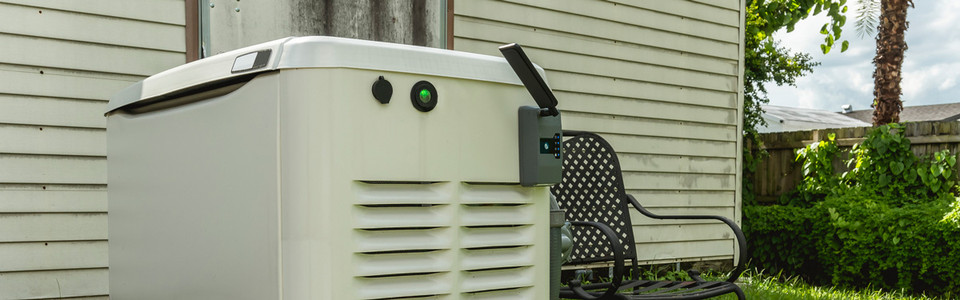
In a world where power outages can strike at the most inconvenient times, having a reliable power source is essential. A Generac Wi-Fi generator can take power to a whole new level. With a quick glance at your phone, you can check your generator’s fuel levels, receive real-time alerts, and so much more. Power up your knowledge about the future of generators and learn about the Generac Wi-Fi generator.
What is a Generac Wi-Fi Generator?
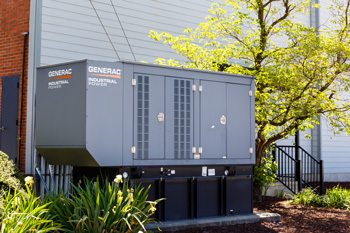 A Generac Wi-Fi generator is a standby generator that can be connected to Wi-Fi and monitored with the Mobile Link app. Wi-Fi capabilities are built into the generator and allow users to connect with local networks and access information about their power system.
What are the Benefits of Having a Wi-Fi Generator?
Wi-Fi-enabled generators have many capabilities that standard standby generators do not. Some of the benefits of having a Generac Wi-Fi generator are:
- Fuel level monitoring
- Exercise timing
- Run time monitoring
- Maintenance scheduling
- Real-time alerts
- Dealer monitoring
Generac Wi-Fi Generator Fuel Level Monitoring
Running out of fuel can be stressful when a storm is quickly approaching. With a Generac Wi-Fi generator, you can prevent this stress and monitor your fuel level remotely. After connecting a Tank Utility propane monitor to your generator, you can view the fuel level and see if it needs any topping off so your generator is prepared to provide power.
Wi-Fi Enabled Generac Generator Exercise Timing
Generators need to occasionally run through an exercise cycle, which is when the system runs and tests its capabilities. While you would usually have to set an exercise timer manually on your generator system, a Generac Wi-Fi generator allows you to set it on the Mobile Link app.
You can adjust your preferences and receive exercise timing reminders so your generator runs tests when and how you want it to.
Generac Wi-Fi Generator Run-Time Monitoring
Knowing how long your generator has been running is important, particularly if you must use it as a constant power source during extreme weather. If your generator has been running for a considerable amount of time, there are certain maintenance and upkeep steps you should perform to ensure that it keeps operating efficiently.
In this situation, it is helpful to see how long your Generac Wi-Fi generator has been running through the Mobile Link app. You can also see how long your generator has run during its lifetime so you can schedule replacements for certain parts and conduct routine maintenance.
Wi-Fi Enabled Generac Generator Maintenance Scheduling
 The main key to guaranteeing that your generator will be ready to provide power when needed is keeping up with regular maintenance. It can be overwhelming to track what maintenance needs to be done when many components of your generator need it at different times.
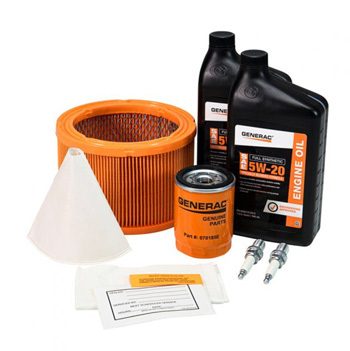
While it is necessary to record what tasks have been performed and when, the Mobile Link app makes it easier to keep track of it all. A Generac Wi-Fi generator can share its maintenance schedule with the Generac app so you can ensure your standby is running smoothly and getting the service it requires. To make maintenance even easier, consider getting a generator maintenance kit so that you can get all of the necessary tools and supplies.
Generac Wi-Fi Generator Real-Time Alerts
Knowing the operating status of your generator is necessary when you’re relying on its power or are away from the system. With a Wi-Fi-enabled generator, you can receive real-time power and service alerts to your mobile device.
Wi-Fi Enabled Generac Generator Dealer Monitoring
If you are away from your generator or are unable to get alerts, your local service dealer can monitor it for you. With a Generac Wi-Fi generator, monitoring capabilities advance so that even others can ensure that your generator is running when it needs to. Your local service dealer can also remotely monitor any warning alerts in case your system malfunctions or needs service.
How to Connect Your Generator with the Mobile Link App
There are certain steps that must be taken to connect your Generac Wi-Fi generator to the Mobile Link App and verify your Generac Wi-Fi setup:
- Prepare your generator - ensure that your generator has Wi-Fi enabled and that it is powered on. Then, find the Wi-Fi module by looking at your generator model’s manual for the specific location.
- Download Mobile Link - go to your device’s app store and download the Mobile Link app.
- Create an account - launch the mobile link app and follow the prompts to create an account.
- Connect the generator to Wi-Fi - access the generator settings in the app, then choose the option to connect your generator to Wi-Fi. The app will guide you through the steps to connect, including selecting your Wi-Fi network.
- Link the generator to the Mobile Link App - add your new generator as a device in the app. You will need to find your generator’s serial number and enter it along with completing any other prompts.
- Verify connection - once set up, you should be able to check your generator’s status in the app and set up notifications for maintenance reminders and power outages.
Troubleshooting Your Generac Wi-Fi Generator
 There are certain steps that can be taken to troubleshoot connectivity issues with your Generac Wi-Fi setup and the Mobile Link app:
- Check your Wi-Fi signal - make sure that your generator is within range of your Wi-Fi signal. If it is too far away, you will not be able to connect.
- Update the firmware - check that your generator firmware is up to date and check the Generac website for any instructions.
- Restart your devices - try restarting your generator and your phone if they both will not connect.
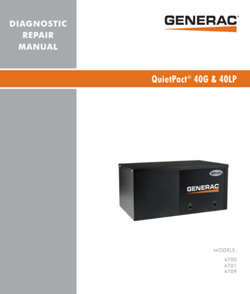
If you cannot resolve your issues or keep getting generator error codes, make sure to thoroughly check your user’s manual or Generac diagnostic manual. You can also reach out to a local service dealer or Generac for further questions and information.
How to Reconnect Your Generator to Wi-Fi if Disconnected
If your Generac Wi-Fi generator becomes disconnected, consider restarting your system and following the above steps to reconnect your Wi-Fi. It is important to make sure that your generator is connected to Wi-Fi so you can continue to monitor it and receive alerts about its status.
Can You Keep Operate Your Wi-Fi Generator Without a Connection?
A Wi-Fi connection, while helpful, is not necessary to smoothly run your Wi-Fi-enabled standby generator. If you cannot or choose not to connect to Wi-Fi or Mobile Link for any reason, you will still be able to operate your generator like usual. Put your generator in auto mode and activate it to get powerful results.
You also do not have to have a paying Mobile Link subscription or active account to run your generator. The connection wizard is available for your use without signing into the app.
How to Choose the Right Wi-Fi-Enabled Generator
When choosing a generator, there are certain aspects you must consider to make the right decision:
- Fuel type
- Power needs
- Budget
Your Generator Fuel Type
Choose a generator that runs on a fuel type that is readily available to you. Consider which fuel is ideal for your situation and generator conditions. Propane, gasoline, and diesel generators are all popular options, including dual-fuel generators that can take two different fuel types.
Consider how long your generator can run on different fuel types and which is the most cost-effective option. The fuel you choose can impact the power and effectiveness of your generator.
Your Generator Power Needs
Calculate the total wattage you need your generator to support by listing the appliances and devices you would need operational during a power outage. Make sure that the generator you choose will be able to support your home or business so that you are prepared when the power goes out.
Your Generator Budget
Generators can vary greatly in price, so it is important to consider systems that are in your budget but meet your needs. Research what features you want to have on your generator and what is available in your price point. You should also factor the cost of upkeep and fuel into the budget for your generator.
Replacement Parts for Your Wi-Fi Generator
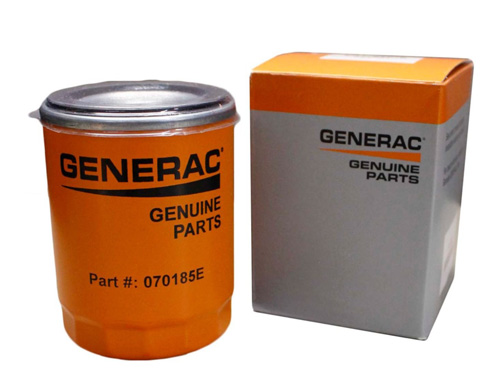 It is important to replace generator parts that break as soon as possible so that your home or business can receive power. When replacing parts, first check the model of your generator to ensure that you are getting compatible parts and find the part numbers that you need.
Parts that you may need to replace in your Generac Wi-Fi generator include:
- Oil filters - it is recommended that you replace your oil filter once every six months or 100 hours of use as it purifies the engine and keeps it free of harmful debris
- Air filters - it is recommended that the air filter of your generator is replaced at the same time as the oil filter, typically every six months
- Fuel Filters - fuel filters keep your generator and its engine operating smoothly, so it is recommended that you replace it around once a year
- Spark plugs - generator spark plugs help start your generator, which is why it is recommended to replace them at least once a year
- Battery - the battery of your generator is crucial for its operation; while you should regularly check the health and condition of your battery, it is recommended that you replace it once every three to five years
Regardless of the part you are purchasing, there are certain aspects to consider when shopping for generator parts.
The Generac Wi-Fi generator represents a big leap forward in backup power technology, blending reliability with modern convenience. With features like remote monitoring and maintenance recording systems, you can enjoy peace of mind knowing that your power system is ready to go. Whether enduring stormy weather or just wanting to ensure that your home is secure and safe, a Generac Wi-Fi generator allows you to take control of your power needs.